TermMate for Sublime Text
TermMate brings Claude Code, Codex, OpenCode, and Pi Agent into Sublime Text through an editor-native interface. Send files and selections as context, review tool requests, and manage agent sessions without leaving the editor.
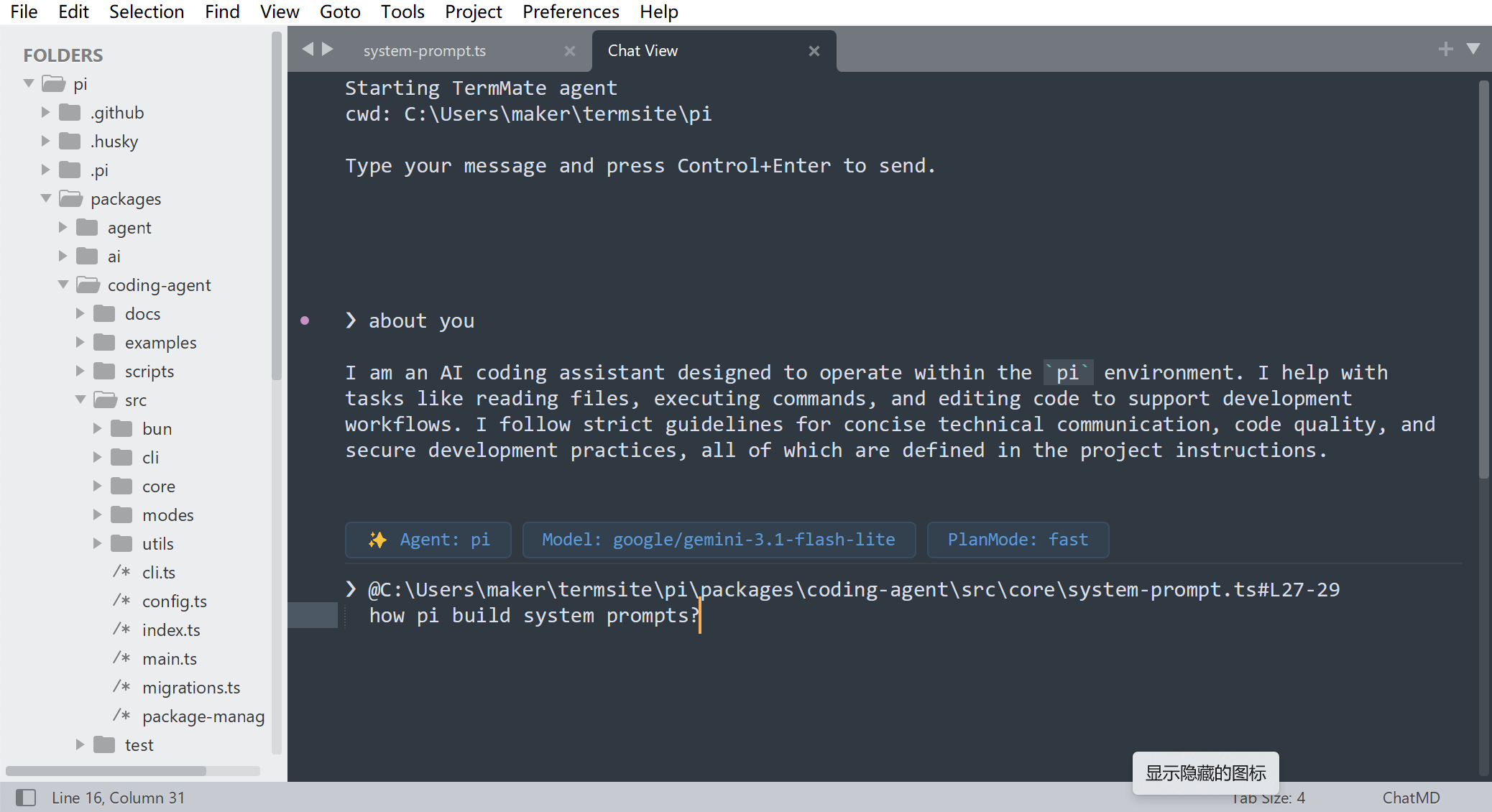
What is TermMate for Sublime Text?
Native editor integration
TermMate is an editor integration for existing coding agents, not a new foundation model or AI service. It presents agent sessions in a native Sublime Text EditView, keeping the conversation, project context, and controls inside your editor.
Your agent, your configuration
TermMate connects to Claude Code, Codex, OpenCode, or Pi after you install and authenticate the agent locally. The selected agent works in your project environment, while TermMate passes context and displays session output, permission requests, and controls.
Multiple Agent Providers
TermMate brings advanced AI agents directly into your editor. Seamlessly switch between Claude Code, Codex, OpenCode, and Pi Agent to leverage their unique strengths. Whether you're generating architecture, refactoring logic, or debugging, you'll always have the perfect AI companion tailored to your task.
Less Friction, Native workflow
TermMate offers a completely native, distraction-free workflow. There are no heavy webviews or extra sidebars to manage. All AI interactions happen directly inline within your active editor, keeping your workspace fast and uncluttered.
Editor Context Intergrated
TermMate integrates deeply with Sublime Text's editor environment. It automatically captures your active file, current selection, and project structure as context — no copy-paste needed. The AI understands exactly where you are in your codebase, delivering responses that are precise, relevant, and grounded in your real workspace.
Command Palette First
Every TermMate action is a first-class Sublime command. Open the Command Palette and invoke anything instantly — start a chat, attach current context, or switch the active model — all without leaving your editor flow. No complex shortcuts or command names to memorize; just type a keyword and let the palette find it.
Supported Agents
| Agent | Integration | Best suited for |
|---|---|---|
| Claude Code | Local CLI | Codebase exploration and multi-step development |
| Codex | Local CLI | Coding tasks with sandbox and approval controls |
| OpenCode | Local CLI and managed server | Multi-provider models and configurable workflows |
| Pi Coding Agent | Local coding harness | Multi-provider and customizable workflows |
Sublime Text FAQ
Common questions about using TermMate and agents in Sublime Text.
Can I use Claude Code in Sublime Text?
Yes. Install and authenticate Claude Code locally, install TermMate, then select Claude Code when you start or switch an agent session.
Does TermMate use a webview?
No. The TermMate chat uses Sublime Text's native EditView and editor components, so the conversation behaves like a native editor window rather than an embedded webview.
Are the Claude Code, Codex, and OpenCode applications built into TermMate?
No. TermMate provides the Sublime Text integration but does not bundle the agents or their models. You are free to choose which version of each agent to install and keep using its own local authentication, model, permission, and configuration settings. TermMate will normally detect the installed agent automatically. See the prerequisites guide for setup instructions.
Where do I configure the Claude or Codex executable?
TermMate normally detects installed agents automatically. To set a custom path, open Preferences → Package Settings → TermMate → Settings and configure claude_command, codex_command, or pi_command.
Can I send selected text and files to the agent?
Yes. Select text in an open file, or choose a file from the editor or sidebar, then use TermMate: Chat with Agent from the context menu or Command Palette. TermMate adds the selected text or file to the agent session as project context.
Does it work on Windows, macOS, and Linux?
Yes. TermMate supports Sublime Text on Windows, macOS, and Linux. You also need a supported coding-agent CLI that is available and authenticated on your platform.