

cwd). The working directory defines the base path where the agent executes shell commands, runs tools, and resolves relative paths.
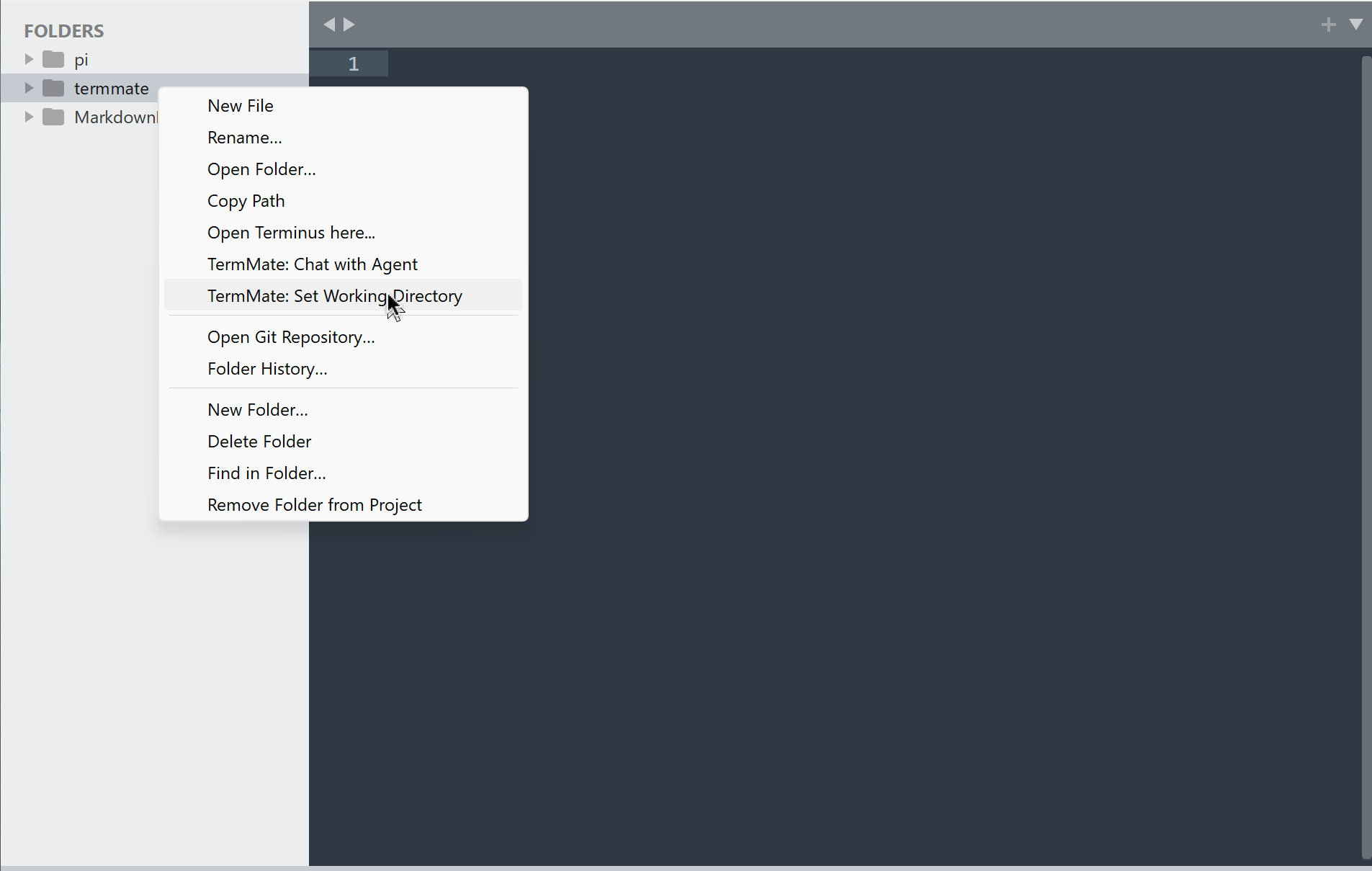
- Sublime Text — defaults to the first folder open in the window. To switch the working directory, right-click any folder in the sidebar and choose TermMate: Set Working Directory, or run
TermMate: Set Working Directoryfrom the Command Palette. - VS Code — defaults to the primary folder of your active workspace. To switch the working directory, right-click any folder in the File Explorer and select TermMate: Set Working Directory, or run
TermMate: Set Working Directoryfrom the Command Palette.
Multi-Root Workspaces
By default, coding agents operate strictly within a single working directory (cwd), blocking or prompting for permission whenever accessing files outside that root.
TermMate bridges this gap by automatically detecting all open workspace folders and sharing them as additional context roots. This allows the agent to seamlessly search, read, and edit code across multiple projects or packages (such as monorepos or split frontend/backend services) within a single conversation.
Workspace Detection
- Sublime Text — all folders open in the active window/project are automatically detected.
- VS Code — all folders in the active multi-root workspace are automatically detected.
The add-dir Mechanism
When share_workspace_folders is enabled, TermMate collects all open workspace folders and maps them to each agent’s native multi-root mechanism:
- Claude Code — passed via repeated
--add-dir <directory>CLI arguments at startup, authorizing the agent to read, write, and execute tools in those directories without triggering external permission warnings. - Codex — registered under
sandbox_workspace_write.writable_rootsin thread configuration overrides so sandbox write policies cover all workspace folders. - OpenCode — added to
permission.external_directoryvia runtime configuration, granting access to each folder path. - Pi — appended to the system prompt so the model is aware of the extra workspace paths and can target them using absolute paths.
share_workspace_folders is enabled (default: true).